I have been a product manager for many years, and I have tried more AI tools for product managers than I can reasonably remember.
Some were excellent at one narrow job. Some helped with research, writing, coding, prototyping, or analytics. Some were good enough to justify a subscription for a few months. Very few helped me keep the whole shape of product work together.
For a while, I thought I was looking for a better model. What I was actually missing was a way to keep different kinds of PM work connected, even when the tools, models, and roles changed.
I have worked across different products, different teams, and different stages of company growth. Some weeks were mostly customer conversations. Some were roadmap debates, PRDs, stakeholder updates, research, analytics, or trying to understand why a perfectly reasonable feature had somehow become impossible to ship.
Some product manager roles are more technical. Some are closer to program or project management. Some are heavily design-oriented. Some PMs spend most of their time in growth experiments and funnels. Others work on platforms, internal systems, enterprise products, or complicated operational workflows.
The title is the same, but the actual job can look completely different.
That is one reason I have never found a universal answer to the question, "What are the best AI tools for product managers?"
There are already many lists like that, and I do read them. I save them, compare them, and try some of the tools they recommend. I have also paid for more AI subscriptions than I would like to admit. Some were useful for a particular problem. Some were interesting for a week. Some became another tab I kept forgetting to open.
The problem was not a shortage of capable tools. It was the cost of moving between them.
PM is not one job
When people describe product management, the list usually looks something like this:
- Understand users
- Define problems
- Set priorities
- Write requirements
- Work with design and engineering
- Communicate decisions
- Measure outcomes
All of that is true. It also makes the job sound more orderly than it is.
Most PMs are not doing one of those things all day. We move between them constantly. We go from a customer call to a pricing question, then to a roadmap discussion, then to a document that needs to make sense to three different audiences.
A technical PM may need to understand an API constraint before lunch and explain the product impact to a non-technical stakeholder in the afternoon. A design-oriented PM may spend hours turning an unclear problem into a flow that users can actually understand. A program-oriented PM may be less focused on writing the feature itself and more focused on coordinating the people, dependencies, and decisions needed to get it delivered.
An early-stage PM may do all of these jobs in the same day.
The job is not only about producing artifacts. It is about carrying context from one kind of work into another without losing the thread.
That is why I do not think there is one universal AI stack for PMs. There are different kinds of work, and different tools are useful at each layer.
What an AI setup for product management actually needs to handle
I do not organise my tools around a list of brands. I think about the kinds of work I need to move through.
1. Finding signals
PMs search for competitors, market changes, customer complaints, pricing updates, technical constraints, and examples of how other companies solved similar problems.
For external research, I still use tools built for current information and citations. For internal documents, I use tools that can help me ask questions against transcripts, reports, PDFs, and other material my team has collected.
They solve different problems.
One is better suited to looking outward. The other is better suited to making sense of information I already have. I would not expect one to replace the other, and I would not use either one to make a product decision without checking the underlying sources myself.
The useful question is not "Which research AI is best?"
It is "Am I trying to find new information, or understand information my team already collected?"
That distinction sounds simple, but it changes which tool I reach for.
2. Making sense of messy input
A lot of PM work begins with material that is not ready to be used:
- A transcript full of half-finished thoughts
- A long Slack thread
- Several customer complaints describing the same issue differently
- A spreadsheet with more columns than anyone wants to look at
- A roadmap discussion where the actual decision is hidden somewhere in the middle
This is where AI can save time, but only if the input is real.
I am less interested in asking AI to "give me ten product ideas". I get more value from giving it the material I already need to process and asking it to identify patterns, contradictions, missing information, or assumptions.
For example, after collecting several pieces of customer feedback, I may ask one model to cluster the recurring problems. Then I will ask another to argue against the grouping. Not because the second answer is automatically better, but because the disagreement often reveals where my original categories were too neat.
The important thing is to keep the source material available when the question changes. Otherwise, every new question becomes another round of copying transcripts, decisions, and background into an empty chat.
3. Thinking through a decision
This is the layer I used to underestimate. It is also where an AI second opinion becomes useful for product managers.
A first draft is rarely the difficult part. The difficult part is deciding whether the draft is based on a real problem, whether the proposed solution is too narrow, whether the trade-offs are visible, and whether the story will survive contact with people who were not in the original conversation.
I now treat AI more like a thinking room than a writing machine.
For a feature decision, I might ask one AI to structure the options. I might ask another to identify what the first one ignored. Then I may ask a third to look at the decision from the perspective of a customer, an engineer, or a skeptical executive.
The models do not need to agree. In fact, agreement can be less useful than a clear disagreement.
The goal is not to find the answer that sounds most confident. It is to find the part of the decision that deserves another human look.
That workflow becomes much harder when each perspective lives in a separate tool. The question is not just whether I can access several models. It is whether they can work from the same product context without making me rebuild the project each time.
4. Writing for different audiences
PMs write a lot, but we rarely write one thing for one audience.
The same decision may need to become:
- A short update for a leadership channel
- A detailed PRD for design and engineering
- A customer-facing explanation
- A slide for a review meeting
- A note to a sales or support team
I have used different models for the same draft because the first version is often not the version I want to send.
I might ask one to make the argument clearer, another to remove unnecessary certainty, and another to point out where the language assumes knowledge the reader does not have.
But the important part is not simply having access to several models. It is keeping the same product context while changing the point of view.
If I have to copy the entire background into three separate tabs, compare the results manually, and then rebuild the document somewhere else, I have created a new kind of work for myself.
The better workflow is to keep the source material and working instructions together, then use different roles for different jobs. One perspective can structure the argument. Another can act as a skeptical reviewer. A third can focus on making the final version readable for a particular audience.
They do not need to share the same personality. They do need access to the same source material when the work depends on it.
5. Making an idea visible
Not every PM needs to code.
Some PMs are technical enough to work directly with code, prototypes, and AI agents. Others are more design-oriented and need to turn an abstract product idea into a flow, wireframe, diagram, or visual explanation. Others mainly need a clear document that helps a cross-functional team discuss the same problem.
I am interested in prototypes and visual explanations, but I am not the person who wants to maintain a codebase after midnight.
The useful output is not always production code.
Sometimes it is a clickable mockup that makes a vague discussion concrete. Sometimes it is a simple chart that reveals a pattern in the data. Sometimes it is a one-page flow that helps a cross-functional team disagree about the same thing instead of five different things.
I have found that AI is particularly useful when it helps me move from an abstract explanation to something people can react to. A prototype is not valuable because it looks finished. It is valuable because it gives the conversation something specific to push against.
I do not use these formats because they are impressive. I use them when the format makes the product problem easier to see.
6. Remembering what happened
This is the layer that affects all the others.
PM work accumulates context slowly. Decisions made three months ago, customer language from an interview, constraints from engineering, old versions of a PRD, and the reason a roadmap item was delayed all become relevant later.
Most AI tools are good at answering the question in front of them. Fewer are good at staying useful across a long-running piece of work.
I started paying more attention to this after moving between different AI tools. The models were not the only variable. The bigger problem was that each new conversation started as if the previous work had never happened.
The setup that finally worked for me was HaloMate, not because it replaced every specialised product tool, but because it gave the surrounding work somewhere to accumulate.
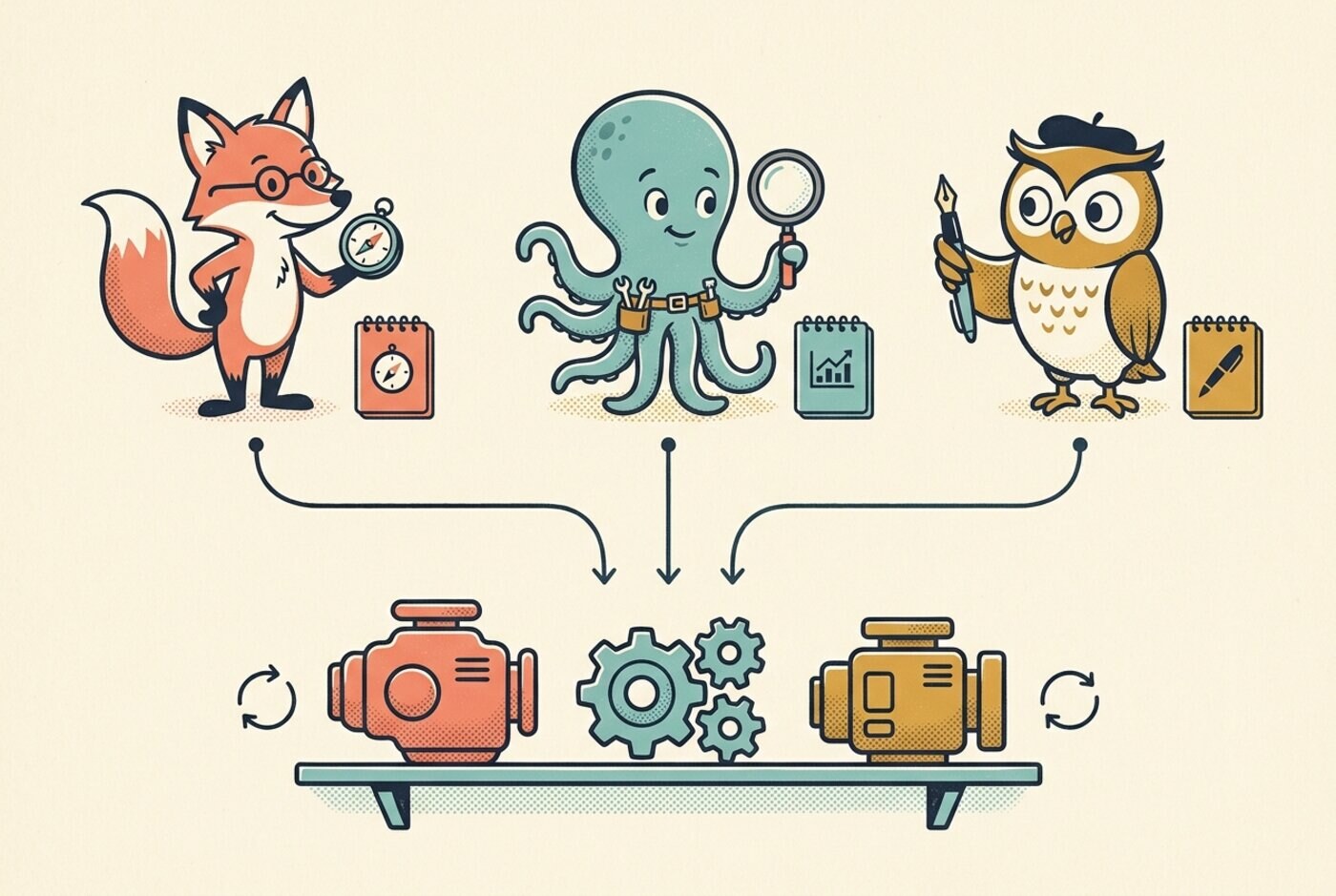
I keep project files, reference material, prior decisions, and working instructions together. Different Mates can look at the same material from different roles, and I can switch the underlying model without rebuilding the context. The Mate is the persona, role, instructions, and accumulated memory. The model is the engine underneath it, and it can change without changing the Mate.
That makes a second opinion much easier to get. I can ask a strategy Mate to frame an opportunity, use another model to challenge the assumptions, and then ask an editing Mate to turn the conclusion into a stakeholder update. The work stays connected instead of becoming three separate conversations that I have to reconcile manually.
The useful part is not simply having more model names in one place. It is being able to move between research, decisions, writing, and visual outputs without losing the context that made the work meaningful in the first place.
The stack should follow the shape of your week
If I had to explain my current setup to another PM, I would not start with a ranking. I would start with the question: what occupies most of your week?
| If your week is mostly… | Start by looking at… |
|---|---|
| Customer and market research | Research tools, source libraries, and interview synthesis workflows |
| Writing and stakeholder alignment | An AI assistant with strong editing and project context |
| Experiments and product analytics | The analytics tools your team already uses, plus a way to interpret the data |
| Backlog and delivery operations | The system where your team actually plans and tracks work |
| Prototyping and technical exploration | AI coding tools, agents, visual prototyping, or design canvases |
| Long-running strategy work | A project workspace with files, instructions, and persistent context |
| Solo or early-stage product work | A combination of research, writing, prototyping, and execution tools |
This table is intentionally not a shopping list.
A tool that is excellent for one PM may add friction for another. A technical founder may want an agent that can edit files and run code. A PM in a large company may get more value from meeting notes, document synthesis, and clear stakeholder communication. A growth PM may care more about experiment analysis than PRD generation.
The title is the same. The work is not.
What I would not automate too quickly
There are a few parts of PM work I still want to own directly.
I do not want AI to decide which customer problem matters simply because it appears most often in a transcript. Frequency is not the same as importance.
I do not want it to turn every disagreement into a tidy consensus. Sometimes a disagreement is the useful part.
I do not want it to make a roadmap sound certain when the evidence is weak. A polished paragraph can hide a very fragile assumption.
And I do not want to outsource the relationship part of the job. Customers can tell when a response was assembled without really listening. So can teammates.
AI is very good at reducing the cost of moving between drafts, sources, perspectives, and formats. It is less good at knowing which tension a team should keep discussing.
That distinction matters.
My current rule of thumb
I no longer ask, "What is the best AI tool for product managers?"
I ask:
- What kind of PM work am I doing this week?
- Is the problem finding information, processing it, making a decision, communicating it, or shipping something?
- Does this tool remove recurring work, or does it create another place I need to maintain?
- Will the useful context still be there when I return to this problem next month?
- Would a second perspective improve the decision, or am I only collecting more answers?
The last question is probably the one I use most.
I have tried enough AI tools to know that adding another model does not automatically improve my work. The real improvement comes when the tools fit the shape of the work, the context survives long enough to be useful, and I still know which decisions are mine to make.
There may never be one perfect AI stack for product managers.
That is probably fine. Product management has never been one job in the first place.
For me, the missing layer was a shared AI workspace. Not a tool that tries to replace every specialist, but a place where the different parts of my work can stay connected, where I can bring in a different model or perspective without starting over, and where the accumulated context remains useful.
That has saved me more time and repeated explanations than another isolated AI subscription ever did.
What does your week actually look like, and which part of it do you wish your AI tools understood better?