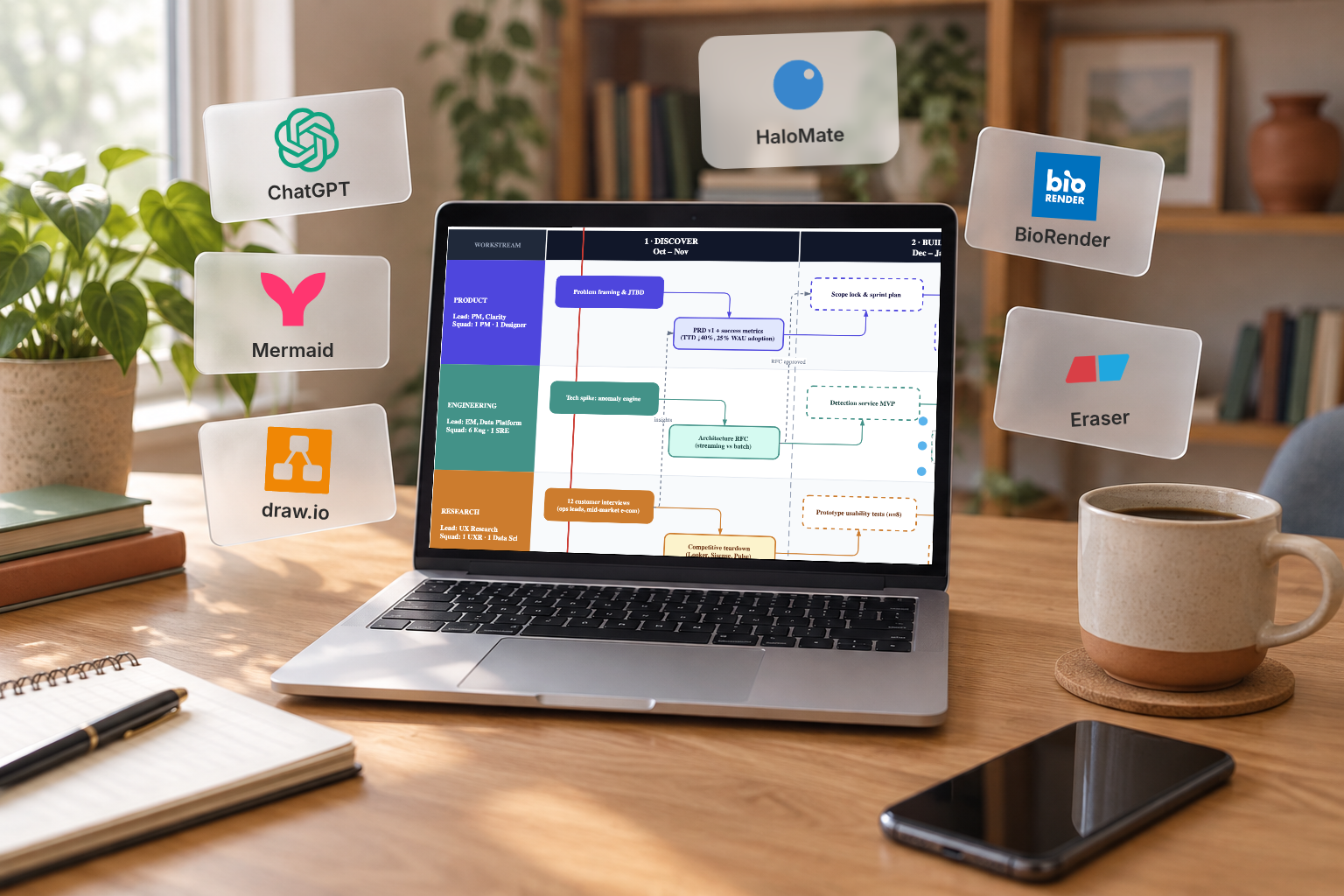
Models already draw. Ask ChatGPT for a flowchart and you get a flowchart image, a Mermaid block, even a sketchy SVG. That is not the hard part anymore.
What people still search for (and what the tutorials still teach) is how to get something you can keep editing: open it in draw.io, move one box, fix a label, update a slide deck later without starting from a flat screenshot every time. “Good enough to show in a review” usually means that, not that the model failed to draw.
So the common recipe is still: ask ChatGPT (or Claude, or whoever) for Mermaid or some XML-ish blob, copy it, open draw.io, paste or import, then clean up the layout by hand.
That recipe works. It is also why the tutorials keep getting written. I am not going to pretend I audited every importer on the internet. Below are a few options I actually run into, including one almost nobody frames as the default, but it is the one that feels most reasonable to me when the figure has to stay a real file.
What I need the diagram for: program roadmaps, not lab figures
Most weeks this is product / program work, not a wet lab. (I wrote about how I keep PM work in one AI workspace before; this is the diagram half of that.)
I need figures that survive a project review:
- phases and dependencies (what blocks what)
- a couple of swimlanes so eng / research / GTM do not collapse into one spaghetti line
- something I can open next week and change without redrawing from a screenshot
The showcase piece in my head is an S-tier program roadmap: multi-phase, parallel workstreams, gates. That is the diagram I care about keeping editable.
(I am not a bioinformatics researcher. Fancy pipeline art shows up later only because a biologist friend reacted to one. Different job.)
1. ChatGPT → Mermaid → draw.io import (the tutorial default)
This is still the most common advice, and it is fair advice. draw.io documents the Mermaid insert flow itself, and the r/dataengineering thread on AI-made technical diagrams is basically people comparing notes on the same recipe.
You stay in chat long enough to get structure. You land in draw.io when you need real boxes and lines. Collaborators usually know how to open a .drawio or a PNG export. Cost is basically time.
Where it frictions for me:
- Every serious revision tends to mean regenerate → copy → paste again, or hand-editing something the model never sees.
- The brief that justified the figure (milestones, constraints, “do not show phase 2 until X”) lives in another tab. The diagram does not.
- Mermaid is the intermediate the tutorials standardize on. People also paste XML, drop screenshots, or fight half-broken SVG. (One Reddit commenter's tip that actually helps: tell the model not to use features draw.io's importer does not handle.) Same tax either way: you are the integration layer.
2. Generate the .drawio file in HaloMate and edit it in place
What I wanted was boring to say:
generate the diagram as a file, preview it, edit nodes in place, save it next to the project notes, keep versions when the model and I disagree, and not open a separate diagram site just to nudge one edge.
That is what I do now in HaloMate. Other tools can emit diagrams. This is the setup where “chat to deliverable” stopped meaning “chat to a picture I rebuild later.”
On a program roadmap it looks like this:
- The project already holds the messy truth: milestone list, constraints, who owns which lane.
- I ask for a roadmap as a
.drawio, not as ASCII art. - Preview stays in the same thread. Boxes are real. I fix labels, delete a workstream the model invented, drag a dependency.
- Model draft and my edit can stay as separate versions instead of overwriting each other.
- The file sits in the project with everything else. I am not hunting Downloads for
roadmap_final_v7_really_final.drawio.
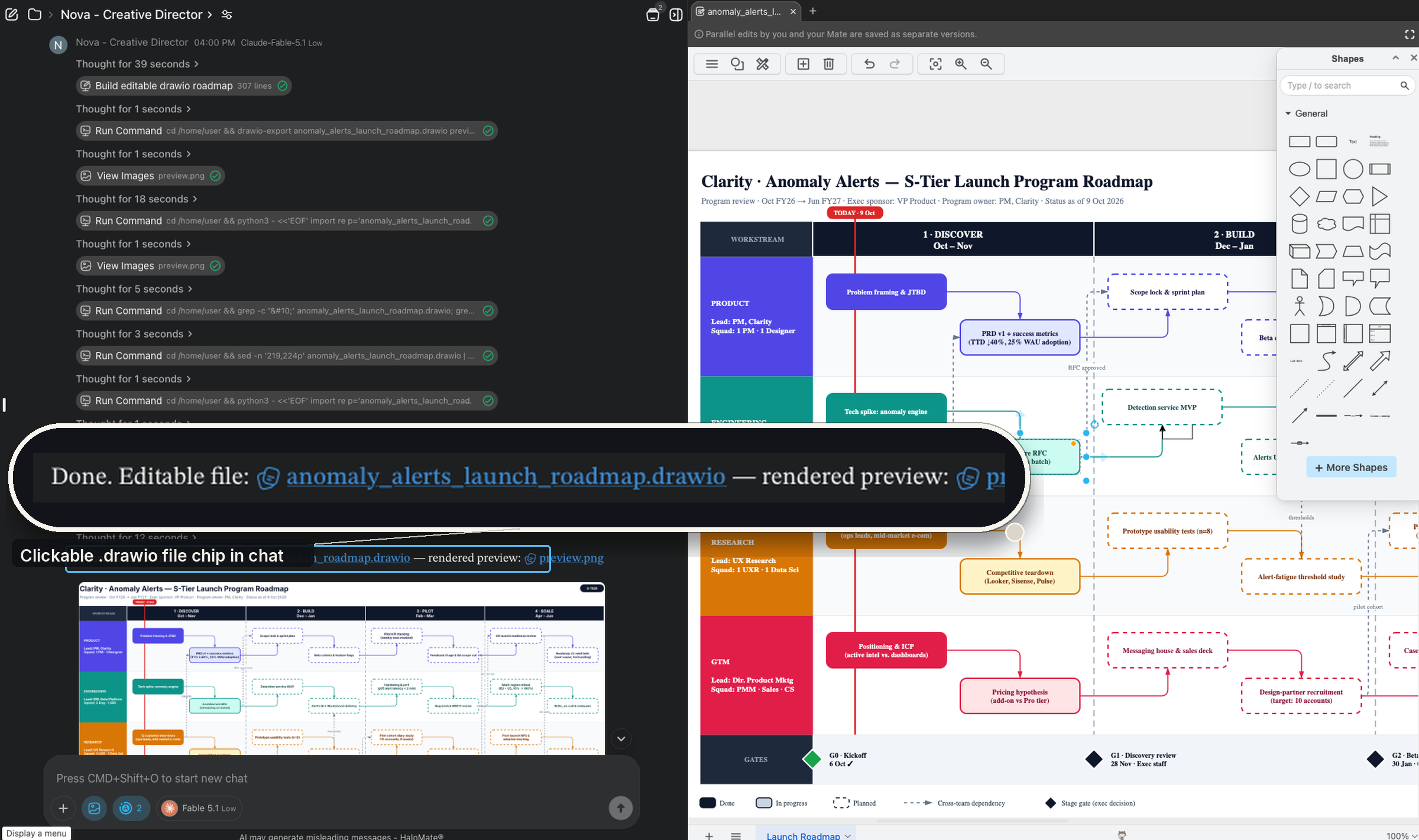
.drawio beside the chat. Inset: the file card in the thread.When someone only needs a slide, I still send a PNG export (or drop a flat image into the deck). That is normal. The difference is what I keep for myself: the editable .drawio next to the brief is the master. The PNG is a snapshot for the meeting, not the only copy of the thinking. If the only thing you have is a screenshot of an AI image, the next change request means generating again and hoping the layout stays close.
If your company already standardized on Confluence + draw.io macros, staying there can be simpler. I am describing the case where the chat is the workbench.
3. Asking ChatGPT or Gemini for a flowchart image
Asking any chat model for a polished image is the fastest path to something you can drop in a deck the same afternoon.
It is also the fastest path to a figure you cannot surgically edit. Changing one arrow often means a new generation. Fine for moodboards. Rough for living roadmaps.
Pretty ≠ editable file.
4. BioRender vs AI-generated science figures, via a friend who actually does biology
I do not live in BioRender. I am not going to review “academic figure compliance” like I have a lab seat.
I do have a friend who does. After I showed them a denser schematic I had made in the same HaloMate flow (the kind of figure that looks “science poster” enough to screenshot), their reaction was basically: this is already close to what people pay BioRender for on looks, with the caveat that BioRender’s academic-side tooling still goes further for the jobs it was built for. I am happy to leave that second half to people who publish in that world. I cannot score “more scientific” from a PM desk.
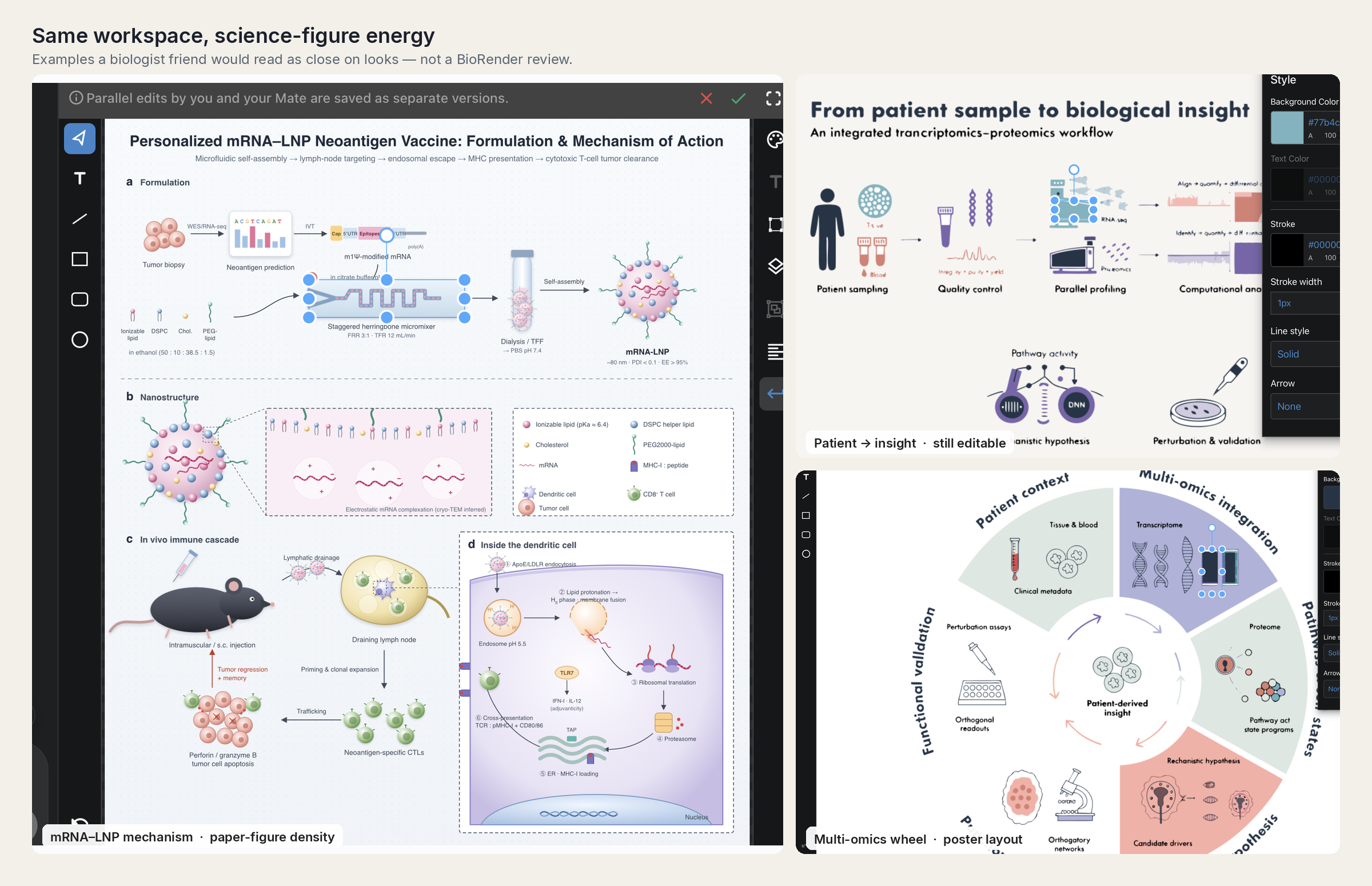
What I will say from the outside: BioRender is a specialized product, and another full subscription on top of the AI stack I already pay for is a hard sell unless figures like that are your weekly job. For my roadmaps and process boards, I do not need it. For their mechanism plates, they might. Different deliverables.
5. draw.io's built-in AI Generate, Eraser and the rest (one beat)
draw.io’s own Generate tool (you can even point it at your own ChatGPT, Gemini or Claude key), Eraser-style apps, “AI draw.io” sites: fine if your day is only architecture diagrams. I do not park my program context there. Another tab, another file island. One sentence is enough.
A few questions I kept seeing in the tutorials' comment sections
Can ChatGPT create a draw.io file directly?
Not as a file. In the chat app you get text: Mermaid, or draw.io XML if you ask for it. You still have to paste or import that into draw.io yourself. draw.io's own AI Generate tool does land on the canvas directly, but then your project context lives in draw.io, not next to the brief. HaloMate is the only setup I use where the .drawio comes back as a saved, previewable file in the same thread.
How do I import a Mermaid diagram into draw.io?
Arrange > Insert > Advanced > Mermaid, paste the block, done. Official steps are in the draw.io manual. Two things bite: the layout engine does its own thing, and if the model used Mermaid syntax draw.io does not support, the import fails quietly and you go back to chat.
Is an AI-generated diagram editable?
Depends what you asked for. An image is not. Mermaid is editable as text, then re-rendered. A .drawio or SVG you can open and drag. If the diagram is going to change, ask for the file format first and the picture never.
Closing
I am not trying to retire the copy-paste tutorials. They taught a lot of people how to turn model output into something draw.io can own.
I am only saying: once the figure is part of ongoing work, the interesting question is not whether AI can draw. It is whether you end the day with an editable file next to the decisions, or with a pretty raster you hope nobody asks you to revise.