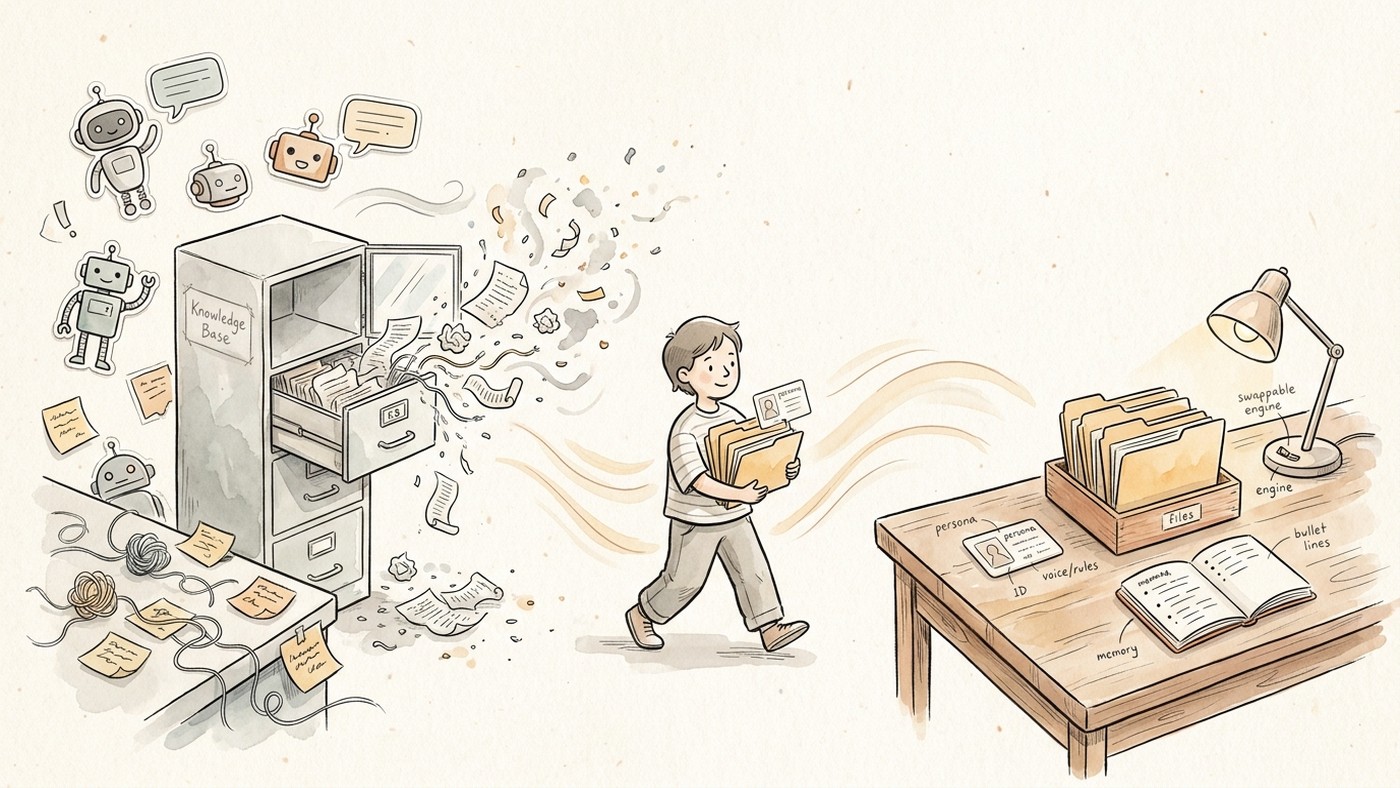
I didn’t leave Poe because a blog told me to.
I left because the parts of it I depended on stopped being the product. I didn’t need a louder bot store. I needed a long-term AI workspace for the prompts, files, and working rules I’d already built.
For a long time Poe was the easy answer to “I want more than one model without ten tabs.” Custom bots, a big model list, a phone app that mostly worked. If all you need is a bot browser, it still kind of is that.
My problem was never “access.” It was that I’d quietly turned bots into a messy second brain: prompts, uploaded files, little rules about how I like things written. Then the floor moved.
March 2026: free points fell off a cliff (3,000 → 300/day). That stung, but it wasn’t the reason I packed up.
May 2026: Knowledge Base went away and the files went with it. Official line was basically “context windows are bigger now.” Bigger windows help a single chat. They do not replace a shelf of docs every assistant you care about can see.
So this is not a ranking of “best Poe alternatives.”
It’s the packing list I actually used, and the four-line map I still send people when they ask how I moved.
Be honest about what you’re leaving
Before you pick a destination, name the job Poe was doing for you. Most people mix three jobs in one subscription:
| Job | What it feels like | What tends to replace it |
|---|---|---|
| Model browser | try Claude / GPT / whoever in one login | cheaper aggregators, bring-your-own-key apps, or just two native apps |
| Bot marketplace | public bots, character stuff, shareable gizmos | still mostly Poe’s house (or roleplay apps). I didn’t fully replace this |
| Quiet workspace | same files + same “this is how I work” across real projects | project/files + persona + memory you can edit |
I was job 3 pretending to be job 1.
If you’re pure job 1 or 2, a lot of “switch now” posts will waste your week. Stay, or go somewhere that still optimizes for bots and discovery.
If you’re job 3, stop shopping for “another Poe.” Shop for a long-term workspace where your docs and working style survive a model swap.
The four-line map
This is the packing list in one picture. Four assets only. Not a bot ranking.
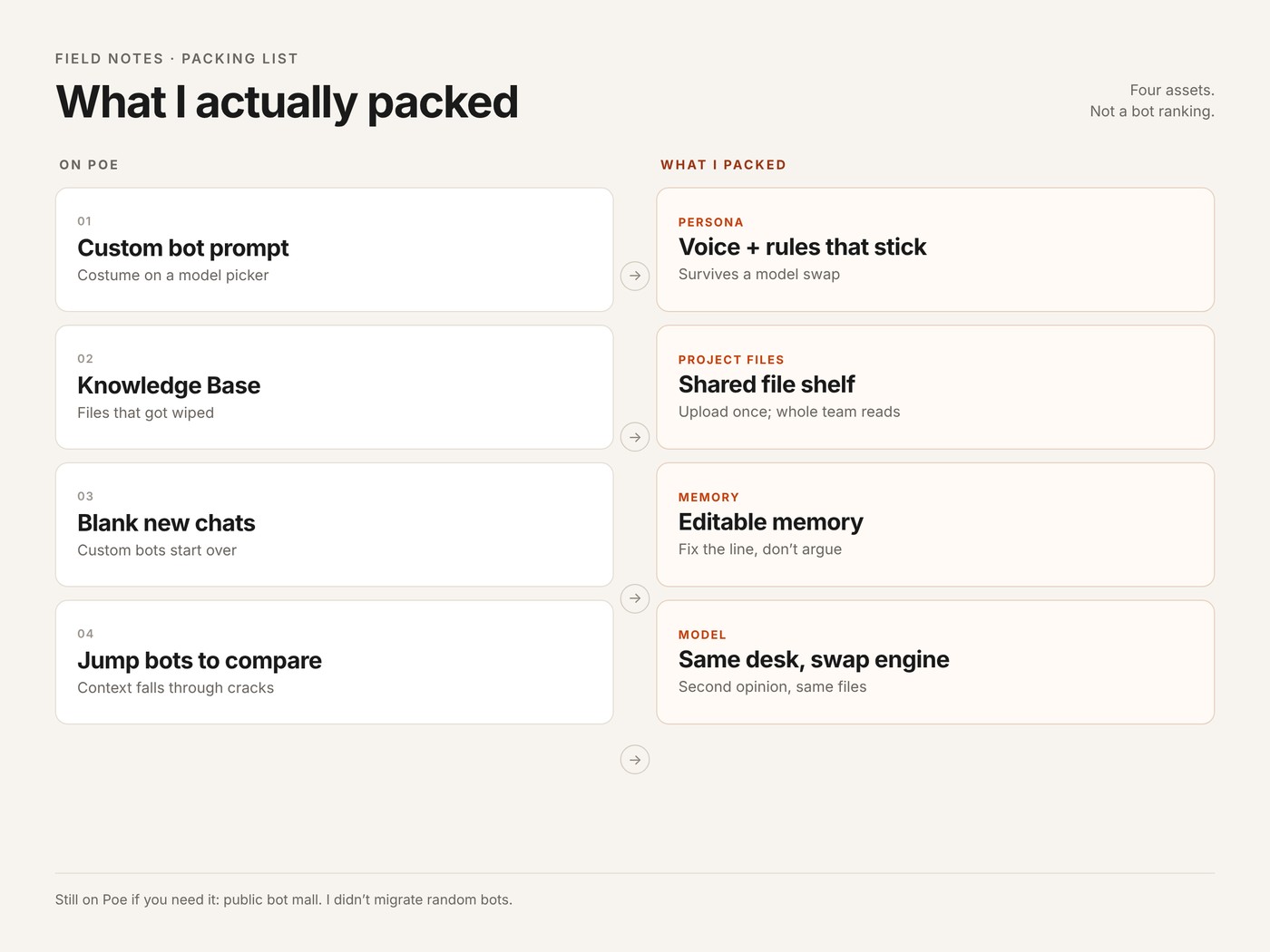
Same map for skimming:
| My Poe habit | What I moved it to | What good looks like |
|---|---|---|
| Custom bot prompt | Persona / system instructions | Same voice next week without re-pasting |
| Knowledge Base files | Project-level files shared by assistants | Upload once; everyone on that work sees it |
| New chat blank slate on custom bots | Editable memory + those files | You can open memory and fix it; docs don’t live in folklore |
| Jump bots to compare | Same work, different model | Disagreement without losing the brief |
| Discover public bots | Still mostly on Poe | I accepted this gap |
Keep on Poe if you still care: public bot discovery.
I did not move: every random bot I clicked once, or the idea that more bots = better work.
Step 0. Export before you argue with yourself
Do this even if you’re “only looking.”
- Prompts: open each custom bot you still use weekly. Copy system/prompt text into a plain doc. Name files like
bot_editor.md,bot_research.md. - Files: anything that lived in KB, download if you still can. PDFs, notes, style sheets, glossaries. If it’s only in an old chat, paste the useful chunks into markdown while the thread exists.
- Invisible rules: the stuff you never put in the bot. “Don’t do cheerful openers.” “BLUF first.” “I work in product, not eng.” Write five ugly bullets. Those become memory later.
- Skip list: bots you haven’t opened in 60 days. Don’t migrate nostalgia.
I spent more time on step 0 than on choosing software. That was the correct ratio.
Step 1. Bot prompt becomes persona (not “another bot”)
On Poe a “bot” is mostly a prompt costume sitting on a model picker.
What broke for me wasn’t the costume. It was that costume, files, and continuity lived in different drawers, and the files drawer got thrown out.
Wherever you land, separate three layers:
- Persona: who this assistant is and how it behaves (your old bot prompt lives here)
- Memory: facts and preferences that should follow you into new threads (your five ugly bullets + decisions you care about)
- Model: the engine for this reply only. Swappable.
That last line matters. If your setup secretly means “Editor bot = Claude forever,” you rebuilt the same lock-in with extra steps. Persona should survive you trying GPT or Gemini on a hard paragraph.
Practical move: one persona per real job (editor, research, exec-comms), not one persona per model name. I wrote the longer version of this as an employee handbook for AI teammates.
Step 2. Knowledge Base becomes one shared shelf
KB felt like memory. It was closer to a shared drive the bot could see.
Replacement pattern that actually stuck:
- One project (or folder, or workspace; naming varies) per real body of work
- Put the files there once: brief, glossary, outline, examples, constraints
- Every assistant that works on that body of work reads from the same shelf
- When a doc changes, change the file, don’t re-explain in chat
I do not paste the handbook into the prompt anymore.
The handbook sits in the project. The persona points at how to use it.
If a tool only lets you upload into a single chat, you’re renting KB theater. You’ll re-upload next month. Same pressure as when I stopped treating export into Docs as the start of thinking: the spine has to live somewhere that isn’t folklore.
Step 3. Blank new chats become memory you can edit
Quick honesty on Poe specifically, because this gets mis-sold in every alternatives post:
- Under one custom bot, chats were always mostly separate. Thread A did not cleanly hand “how we work” to thread B.
- A lot of people treated KB as the glue. When KB died, the glue died.
- Poe later added optional account Memory (off by default): handy preferences across many official bots, with view/delete in settings. Help docs also say it doesn’t apply to user-created bots (and a few other modes). So if your life was custom bots + files, Memory is not a full replacement for what broke.
What I wanted was simpler than a product brochure:
- Short, editable memory lines per persona (wrong line? delete it. Don’t argue for ten turns)
- Project files for heavy reference
- New thread on the same work still knows the job, without me pasting the novel again
Chat history alone is a poor long-term memory. It digs up the wrong week and forgets the rule you stated once in March. If you can’t see and fix what it “remembers,” you don’t have memory. You have improvisation.
Step 4. Bot-hopping becomes same-desk second opinion
Old habit: draft with Bot A, roast with Bot B, lose the thread or the file context halfway.
New habit I actually keep:
- Same project files in play
- Same persona instructions
- Regenerate or continue with a different model when the first answer feels too agreeable, too stiff, or weirdly confident
I’m not hunting a winner model for life. I’m trying not to ship one model’s blind spot. (Four AIs reviewing each other is the louder version of the same habit.)
This is also why I stopped caring about who has the biggest public bot catalog. I needed disagreement on my work, not another character card.
Where things went when I tried the usual exits
I didn’t teleport into one app. Order was roughly:
- TypingMind. Excellent if you want your own keys and a serious prompt library. Felt like a power switcher. Weak spot for me: not where I wanted a long-lived file shelf and multi-assistant project to live day to day.
- Side-by-side browser tools (I used a ChatHub-style setup for a while). Great for “say the same thing to three models.” Thin when the job is a month-long project, not a single prompt bake-off.
- Native ChatGPT Projects + Claude Projects. Each is fine inside its own walls. Pain showed up when I wanted the same files and the same working persona available while I changed engines. Two subs means two shelves to keep honest.
- API routers like OpenRouter. Right layer if you’re building; wrong layer if you just want a desk.
None of that is “these products are bad.” They’re good at different jobs. I stopped optimizing for “aggregator” and optimized for desk: prompts as personas, files in one place, memory I can edit, model as a tire I can change.
I landed on HaloMate for that desk. Same three layers, one login. I’m not doing a feature tour here; the packing list is the useful part. If you already get persona + project files + editable memory elsewhere, stay put. Longer context on why multi-model still fails when every tab starts from zero is in this workspace note.
What I still don’t have a clean clone of: Poe’s public bot mall. If that’s your main joy, this whole note is the wrong genre.
A 10-minute move (if you only do one session)
- Pick one bot you used last week.
- Paste its prompt into a new persona.
- Drop two files it always needed into a project.
- Add three memory bullets in your own words.
- Ask the same real question you asked on Poe.
- Switch model once on the reply you distrust.
- Save anything good back into the project file, not into chat folklore.
If step 6 feels natural and step 3 didn’t make you want to scream, you can migrate the rest slowly. If it feels worse than Poe on day one, you picked a model router and called it a move.
Closing
Poe got me comfortable with multi-model.
I’m grateful for that.
I’m less grateful for learning, the hard way, that bots were never the asset.
The asset was the prompt I’d refined, the files I kept uploading, and the continuity I assumed the product would keep for me.
Pack those first.
Pick software second.